
Put your clothes on an AI fashion model
On-model photos show shoppers the cut, the length and how a piece falls. In Loomshot you upload a photo of the garment and dress it on a model. Create your own model with Cast and every shoot uses the same face and body.
Example shots
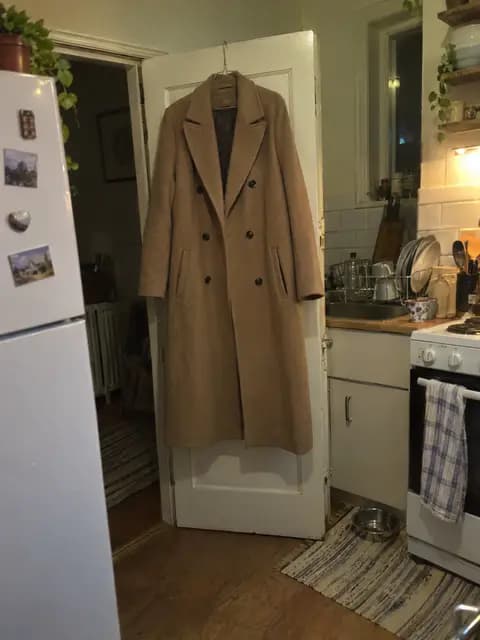 Before
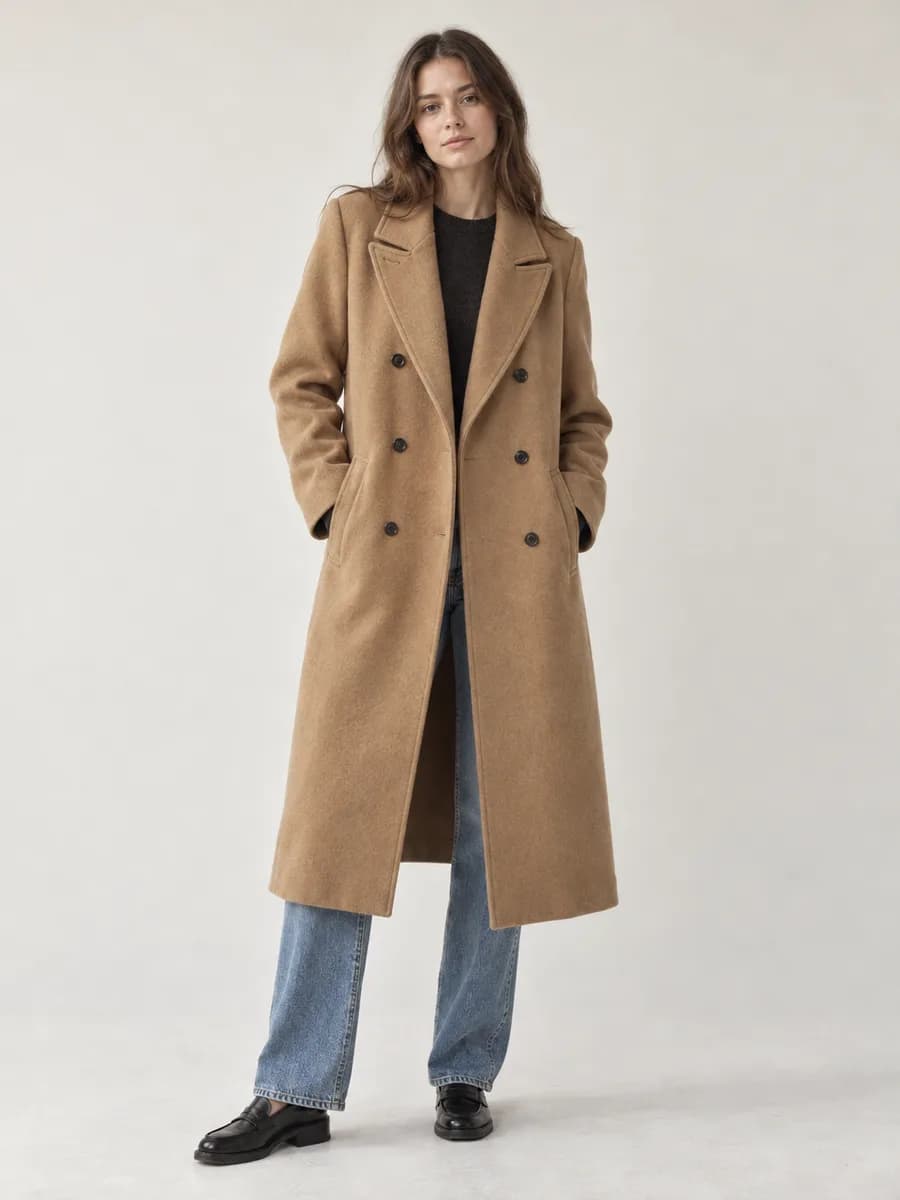 After


Ready-made scenes for this shot
Pick a scene and upload a photo of your product. The light and setting come from the scene.
Why catalog shoots are hard to repeat
Every season, the model, photographer, studio and makeup artist have to line up on the same day. A product added later means booking the model again, or shooting it on a different face and ending up with a mixed catalog.
One model across your catalog
In Cast, you define your model once: face, hair, skin tone and body. Then you dress every product on that model and choose from 15 poses and 6 framings. Pose, product and scene shots are kept together under the model.
Outfits, scenes and video
- Outfits: dress up to three products on the same model at once.
- Scenes: pick a studio, street or beach scene, or write your own.
- Video: make short clips of the same model walking, turning or posing.
AI fashion models pricing
Loomshot works on a monthly plan. On the web, Starter costs $19 a month and comes with 200 Credits that renew every month. An image starts at 1 Credit and a video at 11 Credits. You see the cost before you generate, and if a generation fails, the Credits go back to your account.
See all plansFrequently asked questions
Do the models look like real people?
The models are photorealistic. The most natural results come from simple poses and natural light.
Can I describe my own model?
Yes. In Cast you describe age, skin tone, hair and body, or start from a ready-made model.
Is it available on iPhone?
Yes. Cast is also in the Loomshot iPhone app, and you use the same account on the web and in the app.